
Artificial intelligence (AI) touches almost every area of modern life—from writing text to generating images, and even coding. It offers smart solutions that streamline repetitive tasks and open up broader creative possibilities. Yet, despite AI’s rapid evolution, there remain core categories that continue to be crucial over time.
For instance, language models specialize in text generation and understanding; image and video tools create new visual assets or modify existing ones; coding assistants cut down on programming errors and speed up development; meanwhile, data analytics solutions automate routine tasks and help you make faster, fact-based decisions. Beyond these, there are even more specific categories, like project management, social media oversight, and recruitment, each with its own AI-driven tools.
Before picking any AI tool to enhance your workflow, it’s crucial to assess which model shines in each domain—be it text generation, coding help, or data analytics. One way to do this is by checking real-time performance metrics on the AI Leaderboard, which tracks how different language models perform in diverse tasks. Analyzing this data helps ensure you choose the right fit for your specific needs, rather than jumping in blind. Once you’ve considered the stats and performance insights, you’ll have a clearer roadmap for integrating AI in a way that truly delivers results.
Gen AI Models
Generative AI models specialize in creating new, original content—be it text, images, music, or entire software prototypes. They learn from massive datasets, identifying patterns and structures that they can then replicate in novel outputs. Unlike traditional AI systems that classify or predict existing data points, generative models actively produce fresh results based on user prompts or learned context. This makes them invaluable for tasks such as drafting coherent text, designing unique visuals, or composing realistic-sounding music. Their versatility stems from deep learning architectures capable of handling varied inputs—from short text prompts to entire datasets of images or code—and transforming them into creative solutions. As these models continue to improve, they open doors to faster, more flexible workflows, reducing repetitive tasks and empowering users to realize ambitious ideas with fewer technical hurdles.
- ChatGPT
- Anthropic
- Gemini
- Deepseek
- Copilot
- Grok
- Jasper.ai
- Meta AI
- Nova AI
ChatGPT
ChatGPT is a suite of AI language models developed by OpenAI, each optimized for different tasks. GPT-3.5 handles everyday writing well—anything from short social media posts to basic Q&As. GPT-4 tackles more complex and lengthy documents, making it ideal for in-depth articles or sophisticated business proposals. For those who want to keep most of GPT-4’s reasoning skills but need faster replies, GPT-4 mini strikes a balance between speed and accuracy. GPT-o1 is the go-to for coding or structured logic, adept at debugging, handling math problems, and generating precise algorithms.
When you need quick, concise text—whether it’s a brief blog entry or a quick reply to a customer—GPT-3.5 or GPT-4 mini will do fine. If you’re dealing with extensive research or highly detailed content, GPT-4 is the safer choice. And if you’re wrestling with tricky code or puzzle-like logic, GPT-o1 shines brightest. This flexibility makes ChatGPT’s lineup a versatile powerhouse for writing, problem-solving, and beyond.
Anthropic
Anthropic is an AI research company best known for developing Claude, a generative AI model that handles tasks like text generation, coding support, and logic-based reasoning. Claude often delivers responses with a warm, human-like tone, making it feel more conversational than some competing models. Under the hood, Anthropic takes a “constitutional AI” approach, aiming to imbue the system with ethical and helpful guidelines. This methodology not only reduces problematic outputs but also shapes Claude’s overall style—open, constructive, and capable of both creative writing and structured analysis. For businesses and users seeking an AI model that balances effective performance with a more personable touch, Anthropic’s Claude stands out as a compelling option in the generative AI landscape.
Gemini
Google Gemini is Google’s latest AI model family, designed to handle text, images, and more in a single, multimodal approach. It builds on Bard’s foundation but introduces multiple modes tailored to different tasks:
- Gemini Basic focuses on speed and concise answers, suitable for quick searches and brief responses.
- Gemini Advanced provides deeper reasoning and context handling—ideal for drafting detailed documents or handling complex requests.
- Gemini Exp emphasizes experimental features and ongoing improvements, letting Google test cutting-edge capabilities before rolling them into the main suite.
Whether you need short, lightning-fast answers or more robust text generation, Gemini adapts. It integrates seamlessly with Google Workspace, making it easy to turn your queries into drafts, summaries, or creative prompts right where you work.
Deepseek
DeepSeek is an AI platform centered around concise, efficient text generation and coding assistance. It provides direct, short responses—particularly useful for quick code snippets, factual lookups, or succinct summaries. Typically offered at a lower cost compared to more heavyweight models, DeepSeek caters to those who need just the essentials. Rather than extensive conversation flows or deep creative writing, it excels at delivering immediate, straightforward answers. This makes it an attractive choice for budget-sensitive projects or developers who want a fast, no-frills solution for debugging and short-form content.
Copilot
GitHub Copilot is an AI coding assistant that integrates seamlessly into your development environment, such as Visual Studio Code or JetBrains IDEs. By analyzing a massive corpus of open-source repositories, it predicts the code you’re about to write and suggests inline completions—from small function snippets to entire classes. This helps you avoid boilerplate tasks, catch potential bugs earlier, and maintain focus on higher-level design work. Whether you’re writing Python, JavaScript, or C#, GitHub Copilot often anticipates your next line or function name based on context. It can also offer multiple suggestions, letting you pick or refine the most relevant option.

Grok
Grok is an AI chatbot introduced by X (formerly Twitter) to provide real-time information and advanced Q&A. Designed to tap into live Twitter data, it can offer up-to-date insights, code suggestions, and concise summaries with minimal delay. Because it’s integrated directly into the X platform, Grok is particularly handy for spotting trends, generating quick answers, and handling on-the-fly logic or text queries. For users seeking immediate, context-rich AI responses tied to the pulse of X, Grok aims to be a fast, pragmatic solution.
Jasper.ai
Jasper.ai is a robust AI content creation platform designed for marketers, copywriters, and business owners who need large volumes of consistent, on-brand text. It specializes in producing blog posts, social media captions, and ad copy at scale, offering dozens of built-in templates for various writing tasks. Users provide key points or a brief prompt—such as “Write a compelling Facebook ad for a new eco-friendly water bottle”—and Jasper generates a ready-to-edit draft with proper structure, style, and tone. The platform can also maintain brand voice across multiple pieces of content, reducing the need for heavy post-generation editing. Whether you’re handling routine copy or brainstorming creative angles, Jasper aims to speed up production and keep messaging cohesive.
Meta AI
Meta AI is Meta’s (Facebook’s) dedicated division for advancing artificial intelligence across its family of apps and platforms. Known for developing Llama 2, an open-source large language model, Meta AI focuses on research and real-world applications—ranging from natural language understanding to computer vision and AR/VR experiences. By open-sourcing key projects like Llama 2, Meta AI enables developers and researchers to customize and integrate next-generation AI models into a wide variety of products and workflows, accelerating innovation for businesses of all sizes.
Nova AI
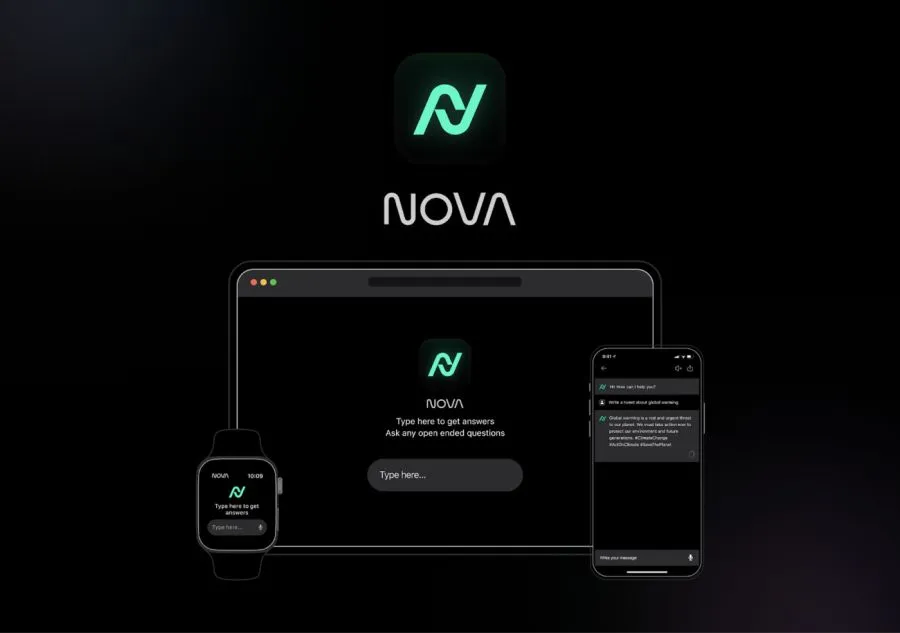
Nova AI is an AI-driven video editing and content creation platform designed to automate many of the tedious parts of post-production. It can generate accurate subtitles, translate dialogue into multiple languages, and detect scene changes for quick clip assembly. By analyzing your footage in real time, Nova AI reduces manual cutting and captioning, enabling content creators to focus on storytelling rather than repetitive editing tasks. Whether you’re producing YouTube videos, social media reels, or long-form documentaries, Nova AI aims to streamline the entire workflow with intelligent, time-saving features.
Image generation
AI-driven image generation transforms simple text prompts into vibrant, original visuals. These models—such as Midjourney, Leonardo.ai, and DALL·E—read natural language descriptions and produce illustrations, concept art, or even near-photorealistic scenes in seconds. By automating the process of sketching, coloring, and refining, they drastically reduce the time and effort required for visual content creation. For designers, marketers, and hobbyists alike, it’s a powerful step forward—turning a few descriptive words into striking, ready-to-use imagery.
- Leonardo.ai
- Midjourney
- Ideogram.ai
Leonardo.ai
Leonardo.ai is an AI-based image generator geared toward delivering detailed, high-resolution visuals. Entering a text prompt like “a cyberpunk cityscape at sunset” prompts the system to interpret each element and produce an image closely matching your description. Rather than leaning experimental, Leonardo.ai aims for crisp details and balanced colors, making it especially suited to professional uses such as book covers, product mockups, or marketing assets.
You start by creating an account—often with free trial credits—then type in a concise scene or object description (e.g., “a sleek futuristic car gliding through neon-lit streets”). The AI processes this text and returns one or more image variations. If you need modifications, try adjusting the prompt or adding tags like “cinematic lighting” for more dramatic impact. When satisfied, simply download the chosen image in high resolution.
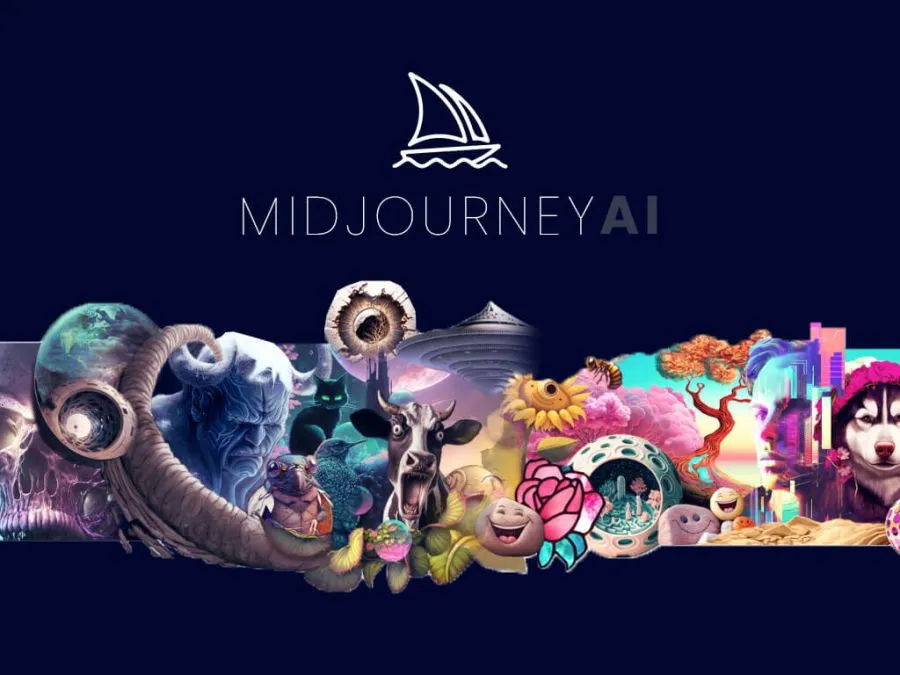
Midjourney
Midjourney is an AI image generator that produces painterly, often dreamlike visuals from short prompts entered through Discord. Typing something like “/imagine prompt: a surreal forest with glowing mushrooms under a violet sky” yields a handful of low-res previews, which you can upscale or tweak further—altering colors, style, or additional elements. The platform thus delivers a high-quality, handcrafted look in minutes rather than hours, making it invaluable for anything from quick concept art to eye-catching marketing content. You simply join the Midjourney Discord, type your request, choose the best variation, and refine or upscale as needed. Once satisfied, you download the final image for immediate use.
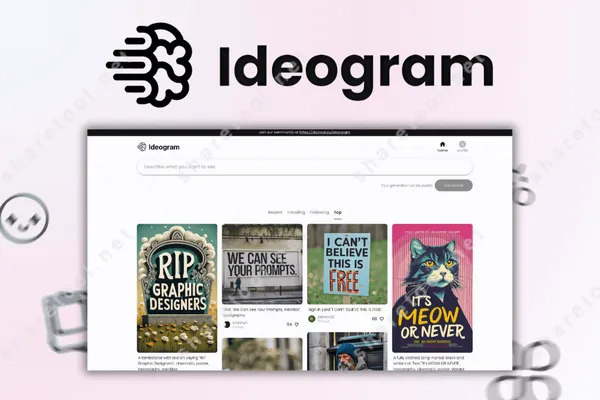
Ideogram.ai
Ideogram.ai is an AI text-to-image platform designed to handle accurate lettering—an area where many AI art generators fall short. Rather than producing blurry or illegible text, Ideogram.ai employs advanced models that focus on typography and balanced design. Users simply enter a prompt describing their text and style—such as “bold graffiti letters spelling ‘Urban Vibes’ in neon colors”—and the system generates high-resolution images with the requested wording clearly integrated. This proves particularly valuable for designers or marketers in need of AI-created visuals that incorporate precise, readable text. After creating an account, you choose your desired keywords or style references, wait for Ideogram.ai to produce several variations, then refine the prompt if the text or aesthetic needs adjustments. Once you find the perfect outcome, you can download the final image for your logo, poster, or any other project.
Video generation
AI-driven video generation tools let users transform text prompts or minimal footage into polished, animated clips. Platforms such as Runway, Pika and other automate tasks like background replacement, character animation, or subtitling. Instead of manually cutting scenes, keyframing effects, and syncing audio, these solutions handle most of the heavy lifting—turning your script or raw visuals into a cohesive video in a fraction of the usual time. Whether you’re crafting social media reels or short marketing ads, AI video generation streamlines production and keeps content creation both swift and imaginative.
- Runway
- Pika
- Sora by OpenAI
- VEO 2 by DeepMind
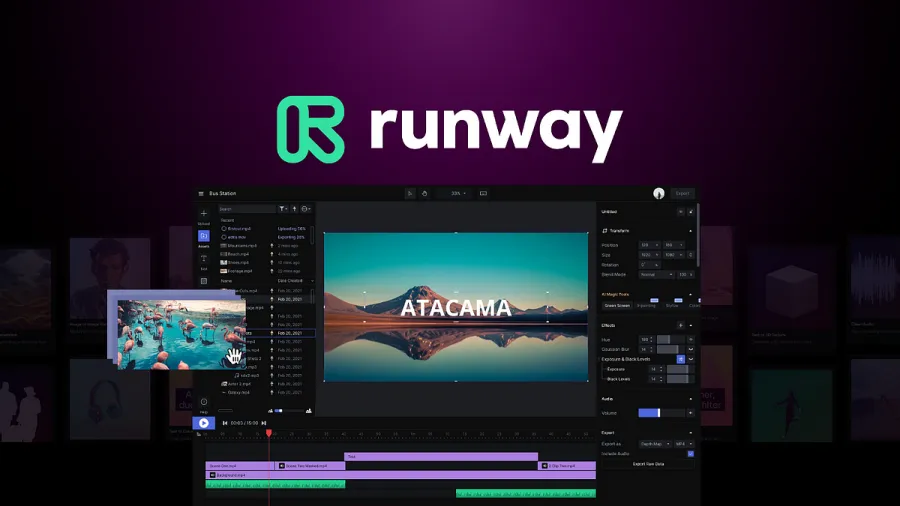
Runway
Runway is an AI-powered creative platform specializing in video editing, background removal, and text-to-video generation. It allows users to transform raw footage or simple text prompts into polished, cinematic clips without deep expertise in traditional editing software. Common features include inpainting (erasing unwanted elements from a scene), motion tracking, and automated background removal, all driven by advanced machine learning. Whether you’re producing social ads, music videos, or experimental visual pieces, Runway reduces manual labor and technical barriers—letting creators focus on storytelling rather than frame-by-frame editing.
Pika
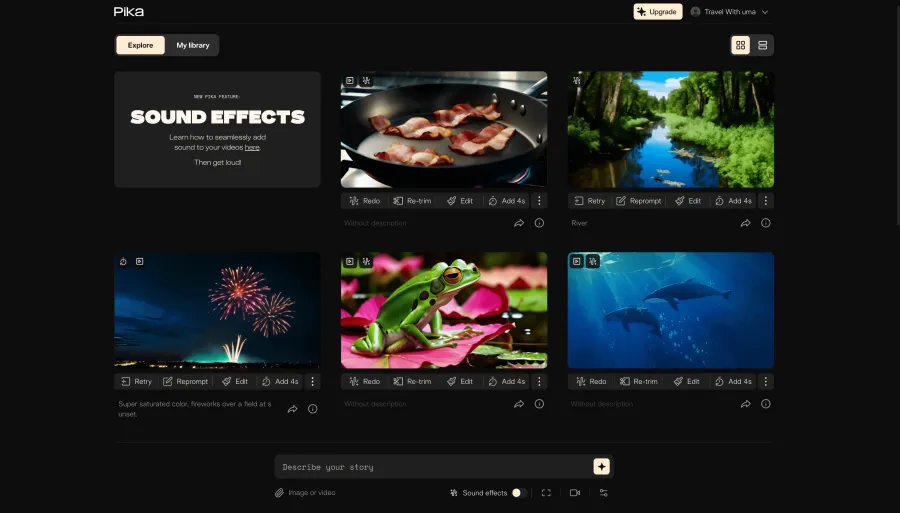
Pika is an AI-driven platform designed to transform text prompts into visually striking art or stylized images. It aims to simplify the image-generation process for both casual users and professional creatives, offering an intuitive interface and customizable styles. By focusing on user-friendly prompts—such as “a retro-futuristic city skyline at sunset”—Pika generates one or multiple artistic variations. This makes it useful for quick concept art, social media graphics, or any project where you need distinctive visuals in record time.
Sora by OpenAI
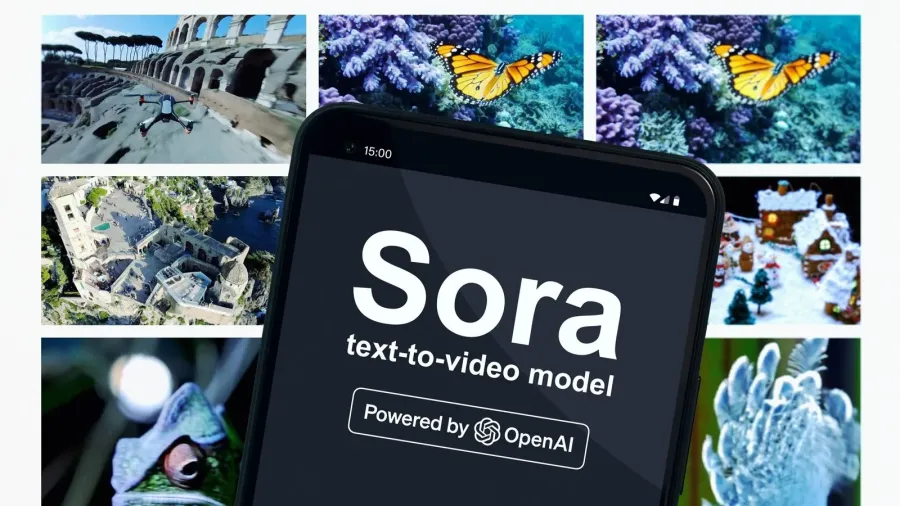
Sora by OpenAI appears to be an experimental or less public-facing initiative. Although details on this project are scarce, it suggests OpenAI might be testing or showcasing a specialized AI feature named “Sora.” Like other OpenAI prototypes, it could involve advanced language modeling, experimental data analysis, or a new interface for interacting with AI.
Because no official announcements or documentation are widely available, it’s likely an internal testing environment or a beta feature not yet ready for general release. If you encounter it, you may see placeholder content, a password gate, or a minimal introduction—indicating it’s still under development. As with any unreleased OpenAI project, keep an eye on official OpenAI channels or blog posts for future updates on what Sora might become.
VEO 2 by DeepMind
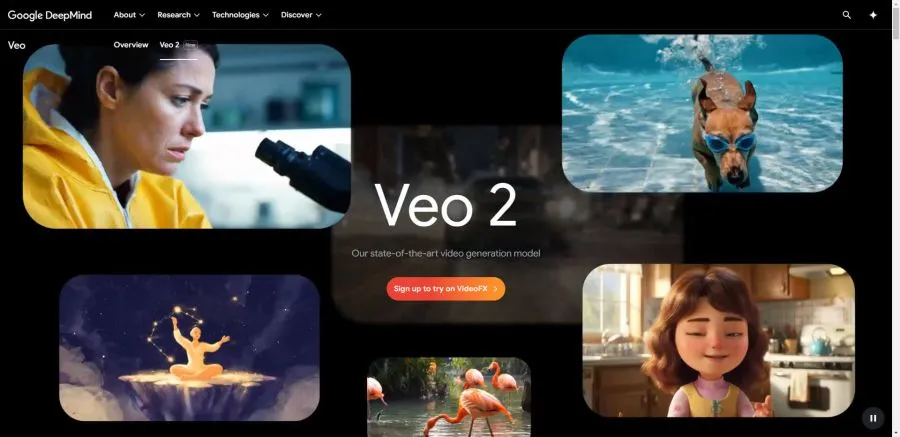
VEO 2 by DeepMind is an experimental project under Google DeepMind’s umbrella, presumably aiming to advance AI in vision, language understanding, or another specialized domain. While official public information on VEO 2 is limited, DeepMind is known for cutting-edge work in machine learning—ranging from game-playing AI (like AlphaGo) to large-scale language models and robotics. VEO 2 may represent an exploration into multimodal intelligence or advanced perception systems that push the boundaries of how AI interprets and reacts to complex input. Because details are scarce, it’s likely an internal research initiative, with more information potentially emerging as DeepMind refines and tests its capabilities.
AI Tools for Programming
Programming no longer relies solely on manual coding. Today, AI-driven platforms can accelerate every step, from scaffolding a new project to debugging complex logic. Bolt.new and Lovable.dev auto-generate app structures based on simple prompts, reducing repetitive set-up tasks. Cursor acts as an AI-enhanced editor, guiding you with real-time suggestions and refactorings. Replit uses AI not just for collaboration, but also for hosting live code demos, so you can share your work instantly. Each tool lowers the barriers to entry, letting developers—whether beginners or pros—focus more on creativity and functionality rather than routine setup and bug hunting.
- Bolt.new
- Lovable.dev
- Cursor
- Replit
Bolt.new
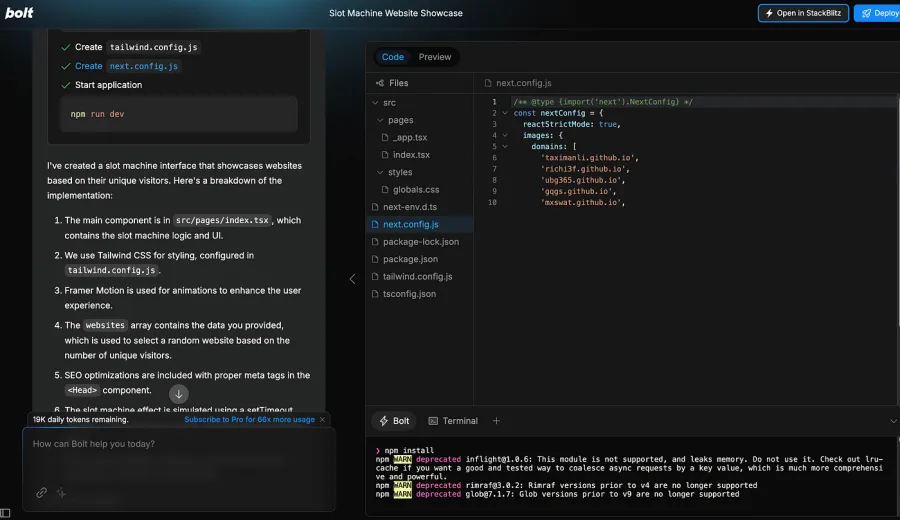
Bolt.new is an AI-powered platform that rapidly generates functional prototypes from simple text prompts. Instead of configuring servers, databases, or frameworks manually, you enter a brief description, and Bolt.new assembles your app’s structure—front end, back end, and even basic styling. This approach is ideal for hackathons, idea validation, or early-stage startups that need a workable MVP without heavy lifting. Once generated, you can customize the code further or deploy it straight away, speeding up development cycles and letting you focus on refining core features.

Lovable.dev
Lovable.dev is an AI-driven app development platform that helps you quickly build and customize web applications by describing your project goals in natural language. You provide a simple prompt—like “create a task management tool with user logins and a Kanban board”—and Lovable.dev assembles the foundational components. Its user-friendly interface then lets you refine layouts, tweak logic, or add integrations without deep coding knowledge. This streamlined approach is especially useful for entrepreneurs, small teams, or rapid prototypes, where speed and simplicity take precedence over manual setup.
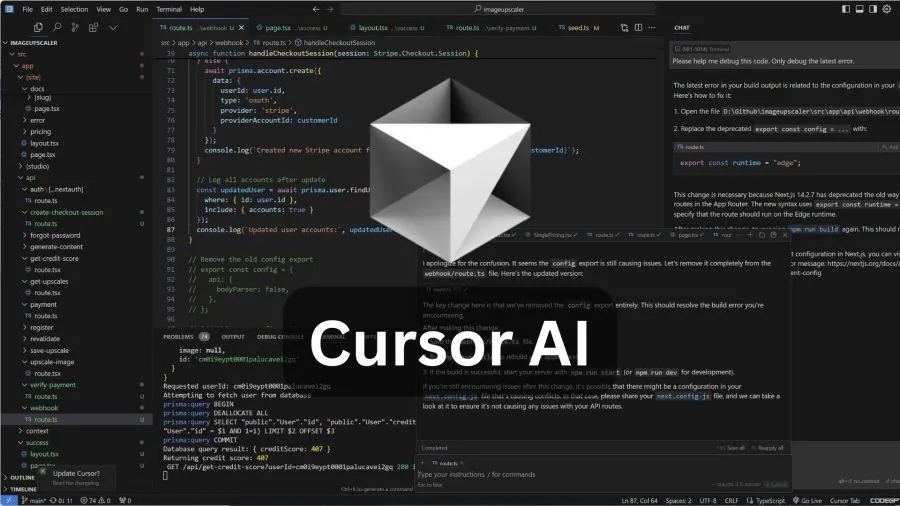
Cursor
Cursor is an AI-enhanced code editor designed to streamline the development process through real-time suggestions, debugging tips, and auto-generated snippets. By monitoring your code as you type, Cursor identifies logical patterns, spots possible errors, and offers solutions—allowing you to focus on high-level architecture rather than repetitive chores. This immediate feedback loop benefits both new coders learning best practices and experienced developers tackling large-scale projects, ultimately speeding up coding cycles and reducing overall frustration.
Replit
Replit is a cloud-based development platform where you can code, test, and deploy projects directly in your browser. It supports numerous programming languages, real-time collaboration, and instant hosting—meaning you can share a live version of your app with just a link. Replit also incorporates AI assistance (often referred to as Ghostwriter), which suggests code snippets and helps debug issues in real time. This setup reduces the need for complex local environments, allowing beginners and pros alike to prototype quickly, collaborate seamlessly, and showcase their creations without wrestling with lengthy configurations.
Text-to-Speech AI
Text-to-speech (TTS) AI tools convert written text into realistic, human-like audio. They’re invaluable for creating voiceovers, audiobooks, automated customer service scripts, or accessibility features. Modern TTS systems leverage advanced machine learning models that capture nuances like pitch, tone, and pacing, delivering speech that sounds increasingly natural—far beyond the robotic voices of older software.
- ElevenLabs
ElevenLabs
ElevenLabs is a standout in this space, offering lifelike voice generation and cloning capabilities. By analyzing vocal patterns from short audio samples, it can produce near-identical synthetic voices, allowing content creators to replicate or slightly modify an existing speaker’s tone and style. ElevenLabs also excels at emotional inflection, enabling seamless shifts in mood or energy within a single piece of text. From audiobooks to tailored virtual assistants, it equips users with precise, expressive voice generation that feels remarkably close to genuine human speech.
AI Tools for Avatars
AI avatar platforms transform simple text or audio into engaging, human-like videos without the need for a live actor or traditional filming setup. These services, such as HeyGen, combine speech synthesis with facial animation to create lifelike on-screen presenters. Users typically choose from various avatar styles—ranging from photorealistic to stylized—then input their script or recorded audio. The AI matches lip movements, expressions, and gestures to the content, producing videos that feel genuinely interactive and personable. This approach significantly cuts costs and production time, making it ideal for marketing clips, educational modules, or social media announcements. With avatars handling voiceovers and on-screen presence, creators can focus on message and design, confident that AI will deliver a polished final product.
- HeyGen
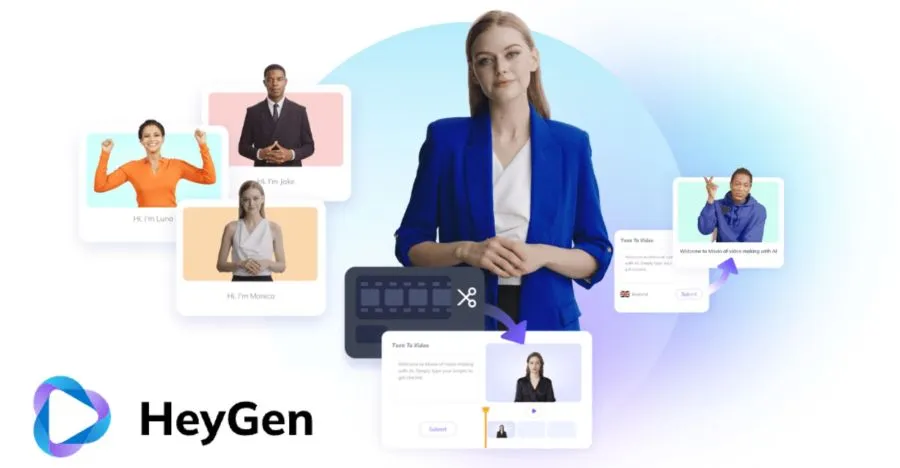
HeyGen
HeyGen is an AI-driven platform for creating virtual avatars and personalized video content. Users can input text or audio, then pick from a variety of digital avatars—or create their own—that deliver the message with lifelike facial expressions and voice options. This setup streamlines everything from product demos to corporate training videos, allowing you to generate professional-looking visuals without hiring on-camera talent. By blending text-to-speech with dynamic facial rendering, HeyGen offers a quick, customizable way to craft engaging video presentations.
Text-to-Speech AI
Text-to-speech (TTS) AI tools convert written text into realistic, human-like audio. They’re invaluable for creating voiceovers, audiobooks, automated customer service scripts, or accessibility features. Modern TTS systems leverage advanced machine learning models that capture nuances like pitch, tone, and pacing, delivering speech that sounds increasingly natural—far beyond the robotic voices of older software.
- Suno
- Mubert
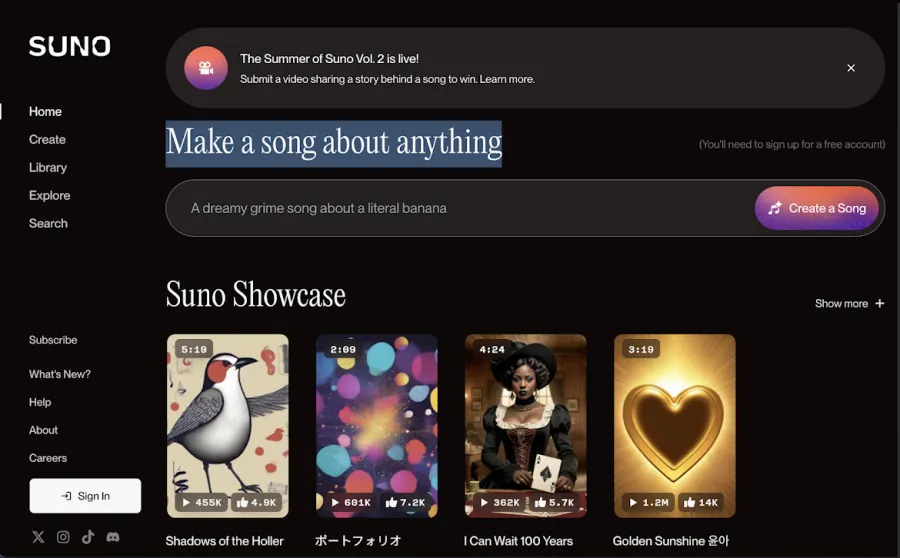
Suno
Suno is an AI-driven music creation platform designed to produce complete songs—from instrumentals to vocals—by interpreting user prompts. It leverages large music and audio datasets to craft melodies, harmonies, and even lyrical elements, often in real time. Because it covers both instrumental and vocal layers, Suno can simulate an entire band or studio session without requiring live musicians. This makes it especially handy for quick demos, video backgrounds, or interactive installations. By combining deep learning with musical theory, Suno aims to generate tracks that feel cohesive, dynamic, and surprisingly human in style.
Mubert
Mubert focuses on generative music, blending user-selected genres, tempos, and moods into original compositions. It’s known for seamless looping and background tracks ideal for streaming, gaming, or commercial projects, where you need continuous, ever-evolving soundscapes. By drawing on a broad library of samples, Mubert ensures each piece feels fresh and distinct, minimizing the repetition often found in traditional audio loops. Its flexible, real-time approach gives creators a dynamic, responsive soundtrack that pairs perfectly with changing scenes or varying user interactions.
AI Tools for Programming
AI isn’t always a separate tool—you can also find it built directly into familiar software. Programs like Adobe Photoshop or Illustrator now include AI-driven features for tasks like automatically erasing backgrounds, suggesting color palettes, or reworking image elements with just a quick prompt. Instead of opening a separate app, you use AI within the interface you already know, saving time and learning curves. This approach lets you stick to your usual workflow while still enjoying smarter, faster results—proof that AI doesn’t have to feel like an extra step.
- Adobe Illustrator
- Adobe Photoshop
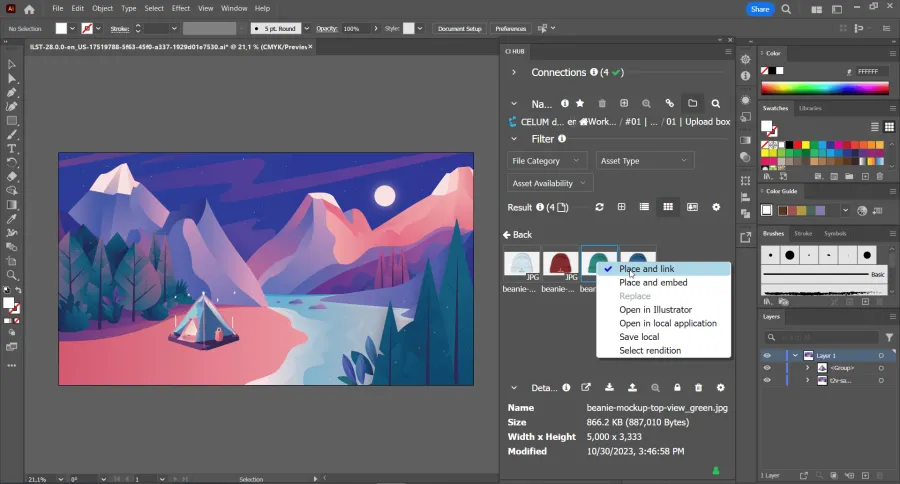
Adobe Illustrator
In Adobe Illustrator, AI-driven functionalities are integrated under the Adobe Sensei umbrella. One key example is Image Trace, which automatically converts raster images into scalable vector graphics. Instead of manually outlining every shape, you drop in a photo or design, choose your preferred tracing preset, and Illustrator uses machine learning to detect edges and color regions—giving you editable vector paths in seconds. AI also suggests color palettes: by analyzing the overall tone of an image or artwork, it can generate matching swatches that help maintain a consistent look. In practice, you simply import your file or start a new canvas, then select Window → Image Trace or Window → Color Themes to access these features. Illustrator’s AI effectively shortens common design tasks—like building shapes, color matching, or fine-tuning composition—so you spend less time on technical cleanup and more on creative decisions.
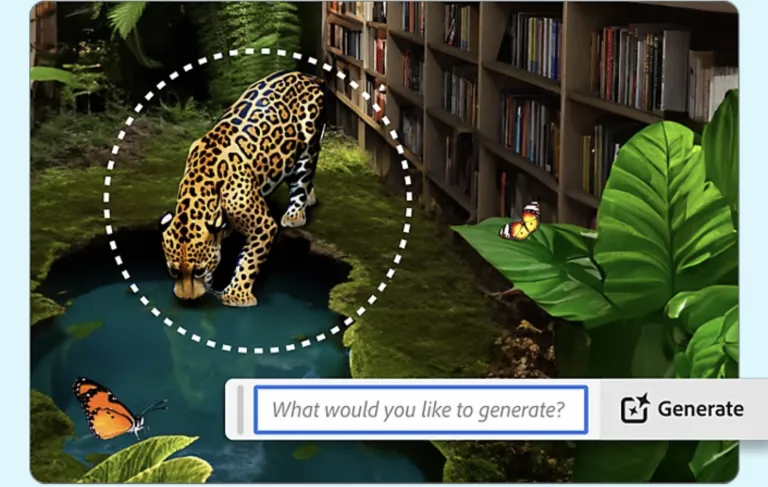
Adobe Photoshop
In Adobe Photoshop, AI features primarily revolve around Generative Fill and Neural Filters, powered by Adobe Sensei. Generative Fill lets you remove, replace, or add elements in an image by typing a short text prompt—Photoshop interprets the request and seamlessly edits your selection. For instance, if you highlight an empty sky and prompt “Add dramatic storm clouds,” the AI updates the scene in seconds. Neural Filters enable effects like skin smoothing, colorizing black-and-white images, or adjusting facial expressions with intelligent sliders. All these tools appear in the standard Photoshop interface, so you simply open your file, select the area you want to modify, and use Edit → Generative Fill or Filter → Neural Filters to apply changes. This approach reduces detailed manual editing, freeing you to focus on overall composition and creative vision rather than tedious pixel-by-pixel tasks.
AI has gone far beyond simple text prompts and chatbots, transforming the way we compose music, generate images, write content, and streamline workflows. Whether you're leveraging AI-powered marketing, automating tasks, or using data-driven decision-making, the right AI tools can unlock new levels of efficiency and creativity.
If you're looking to scale your business with AI, start by exploring expert resources:
- The AI Marketing Revolution – Discover how AI is reshaping digital marketing strategies.
- 7 Steps to Build a Multimillion Business with AI-Driven Marketing – A strategic guide to leveraging AI for growth and scaling success.
Want to explore more? Visit Design Studio for insights into AI-powered business transformation.